
Features
Integrations Pricing Developers Guides

Sell your first thing with a payment link

Create a product, publish it, and share a link people can pay on.

Getting started 2 min read 4 steps 4 screenshots

A payment form is a checkout page for one thing you sell. You get a branded link to share anywhere — a message, a bio, an ad — and every payment made through it becomes an order in your dashboard.

1

Create a payment form

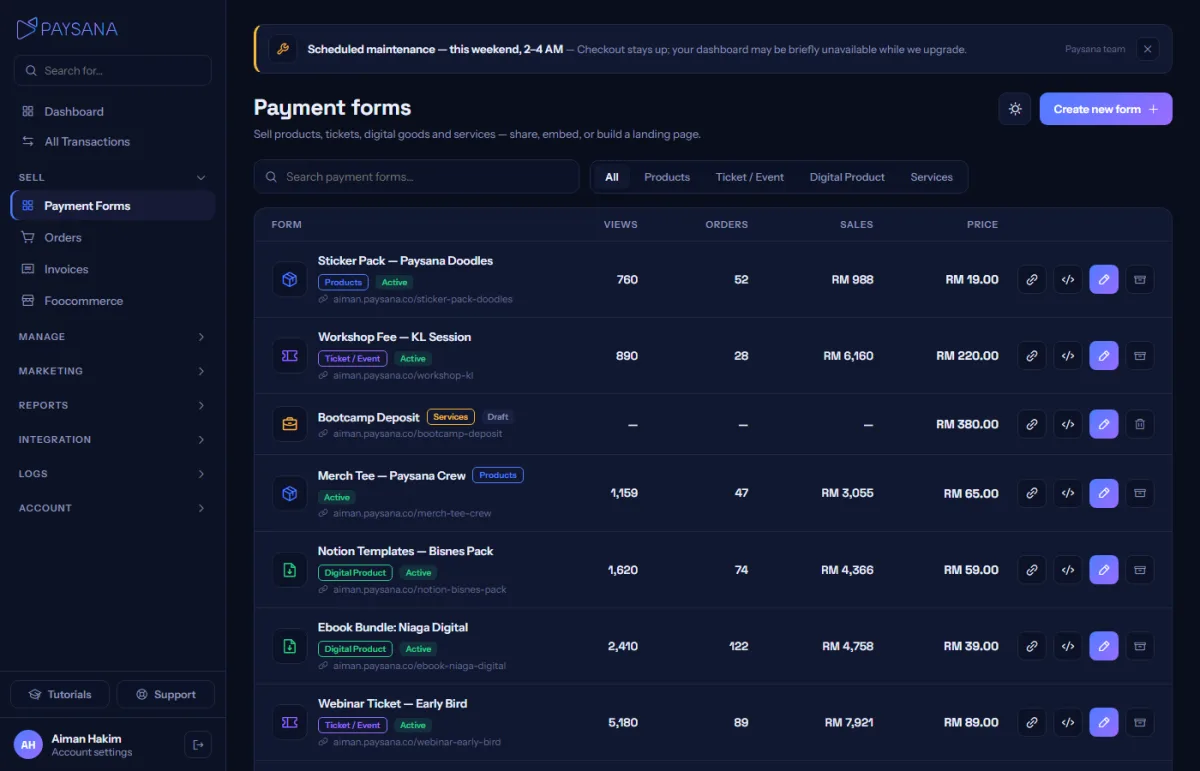
Open Payment Forms and choose New payment form. Pick the type that matches what you are selling — physical products, an event ticket, a digital download or a service. The editor then only shows you the settings that type actually needs.
app.paysana.co
Your payment forms, with views, orders and sales for each one.
2

Fill in the details

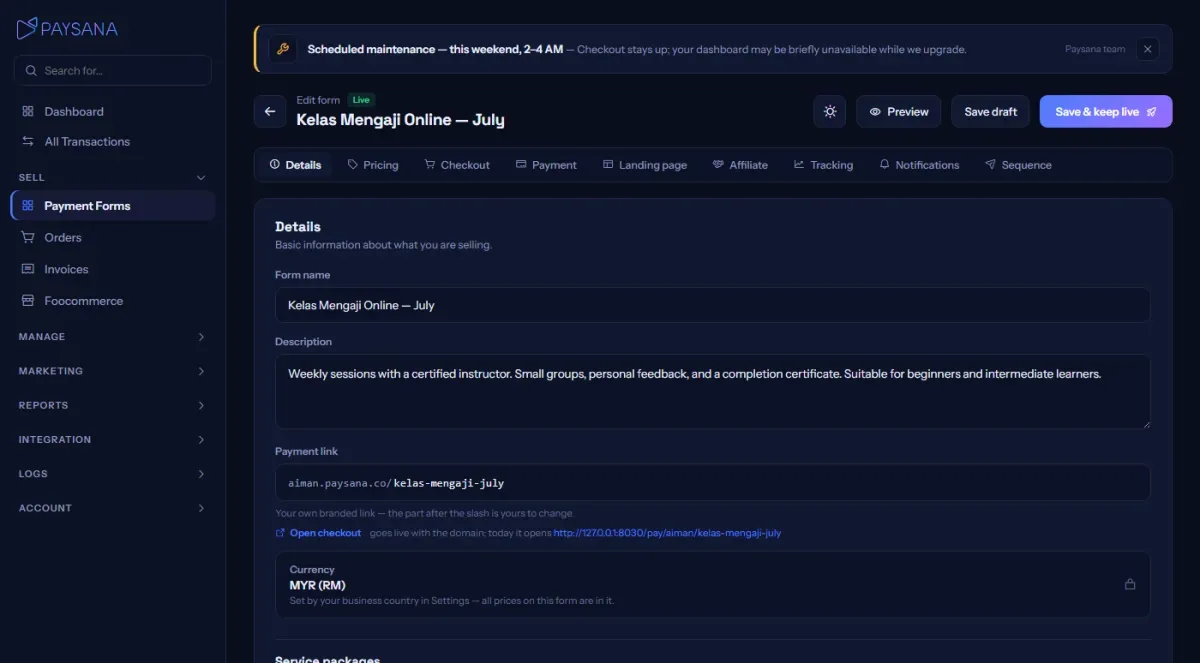
Name, description, price and stock. The Details tab is where you upload photos and set the address people will pay on. Everything is saved as a draft until you publish, so you can leave it half-finished.
app.paysana.co
The form editor. Each tab holds one group of settings, and Save draft keeps your work without going live.
3

Set your price and stock

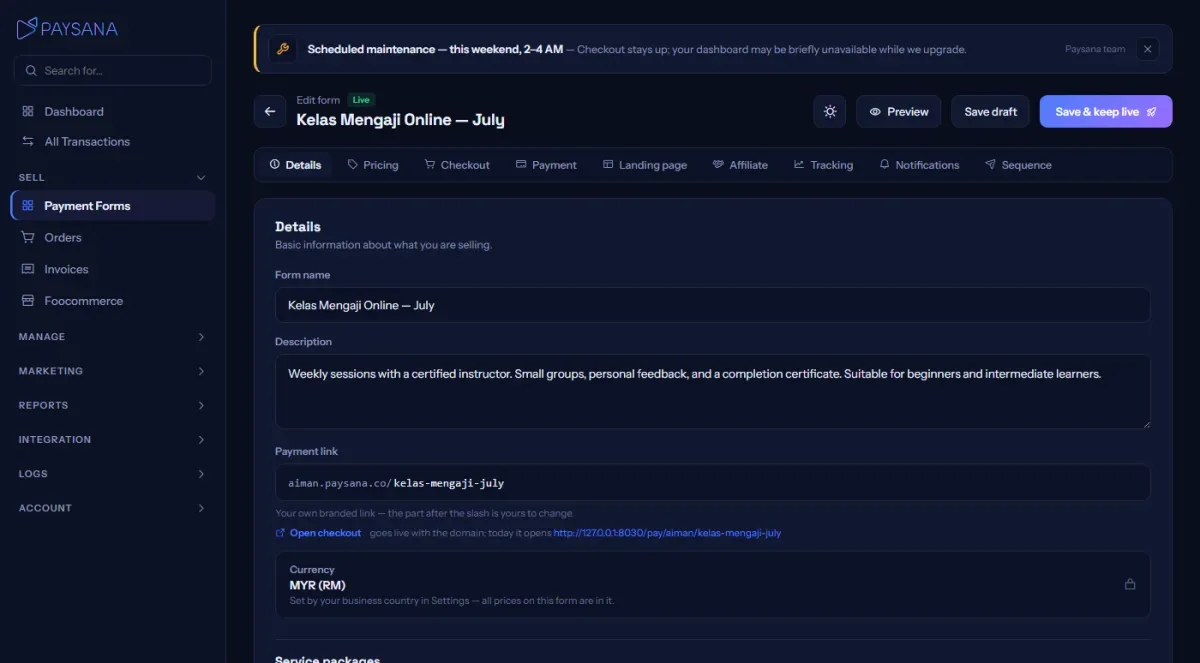
On the Pricing tab, set the price and — if you are selling something limited — the stock. You can add a compare-at price to show a discount, choose which of your coupons work here, and add variants when the same product comes in different sizes or packages.
app.paysana.co
Pricing, stock and variants. Stock is counted on the variants when you have them.
4

Publish and share the link

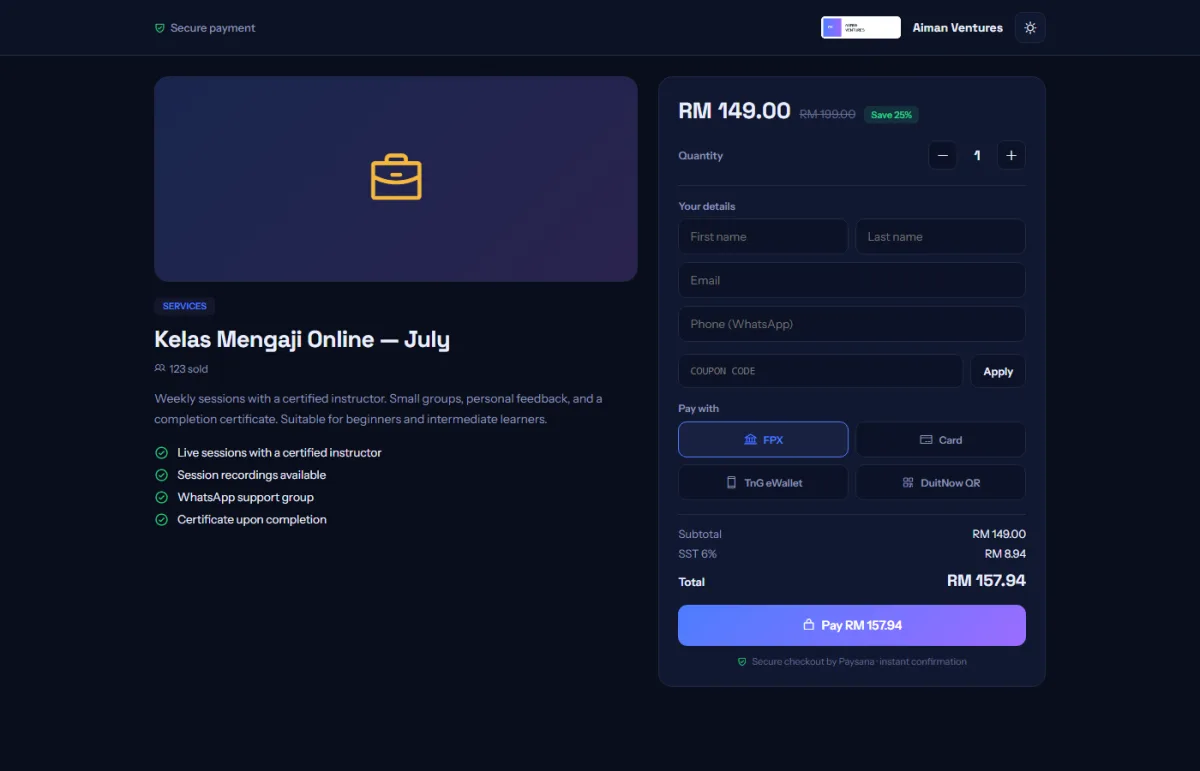
Hit Publish and the page goes live at your own address. Use Copy link on the forms list to grab it — or the embed snippet if you want the same checkout inside your existing website.
app.paysana.co
What your buyer sees. Prices, stock and coupons are all checked on our servers when they pay.

Worth knowing

  • Draft forms show a preview banner and refuse payment, so you can safely send one to a colleague to check.
  • A form that has taken money is archived rather than deleted — that keeps every buyer’s receipt, download and ticket working.

Read next

Still stuck? Send us a message and a person will answer — usually within one working day.
Contact us

Ready to try it?
Start free today.

Join the businesses already using Paysana to collect payments, send invoices and grow.

Free plan forever · No card to sign up · Your own gateway
We use cookies to measure how this site is used and how well our advertising works. They are optional — the site works exactly the same either way. Read our privacy policy.