
Features
Integrations Pricing Developers Guides

Write a landing page for a product

Give a product a full sales page — written, hand-coded or AI-drafted — that ends in its own checkout.

Selling 1 min read 4 steps 1 screenshots

A payment link is a checkout. A landing page is the pitch in front of it. You write it like an article and we supply the HTML and CSS, or you take full control with your own code.

1

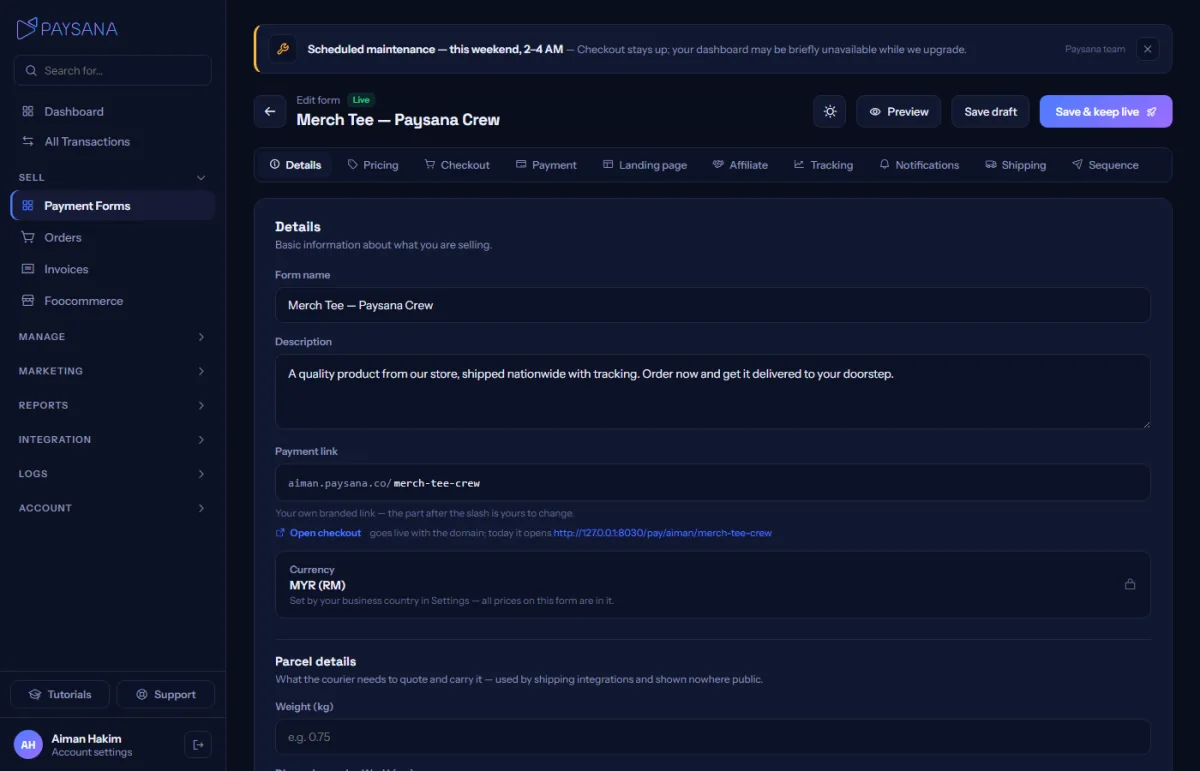
Open the Landing page tab

Every form has one. Choose a mode: Write for an article-style page, HTML for full control over the markup and stylesheet, or AI draft to generate a first version you then edit.
app.paysana.co
The landing-page editor. Write mode asks for a headline, a sub-headline and your story — nothing to drag or align.
2

Write the page

A headline, a sub-headline and the body. Pick a light or dark theme and the wording for your call-to-action button. In HTML mode the markup and the CSS live in separate panes, so your stylesheet is never buried inside the body.

3

Preview it before anyone sees it

A draft has no public address, so you preview it at an owner-only URL. That is the only way to see what you have written before it is live.

4

Publish and share

Publishing puts the page on your own subdomain. The Copy link menu on the forms list then offers two links — the bare payment form, or the landing page — so you can pick per campaign.

Worth knowing

  • The checkout is attached to every landing page at render time, carrying live price, stock and variant state — so a cached page can never show a stale price.
  • Published pages run with scripts disabled. That is deliberate: it means nothing on a merchant page can execute JavaScript on our domain.

Read next

Still stuck? Send us a message and a person will answer — usually within one working day.
Contact us

Ready to try it?
Start free today.

Join the businesses already using Paysana to collect payments, send invoices and grow.

Free plan forever · No card to sign up · Your own gateway
We use cookies to measure how this site is used and how well our advertising works. They are optional — the site works exactly the same either way. Read our privacy policy.