
Features
Integrations Pricing Developers Guides

Share, embed and shorten your links

Every way to get a payment page in front of someone.

Running your business 1 min read 4 steps 1 screenshots

A published form gives you more than one link. Which you use depends on where you are putting it.

1

The payment link

Your branded address for the checkout itself. Copy link on the forms list gives you this, and it is what to paste into a message, a bio or an ad.

2

The landing-page link

If you have published a landing page, the same Copy link menu offers it as a second option — the pitch, with the checkout at the bottom. Pick per campaign.

3

The embed snippet

One line of HTML that puts the same checkout inside your existing website. It is always the payment form, never the landing page, so there is only ever one checkout to keep in step.

4

A short link with a QR code

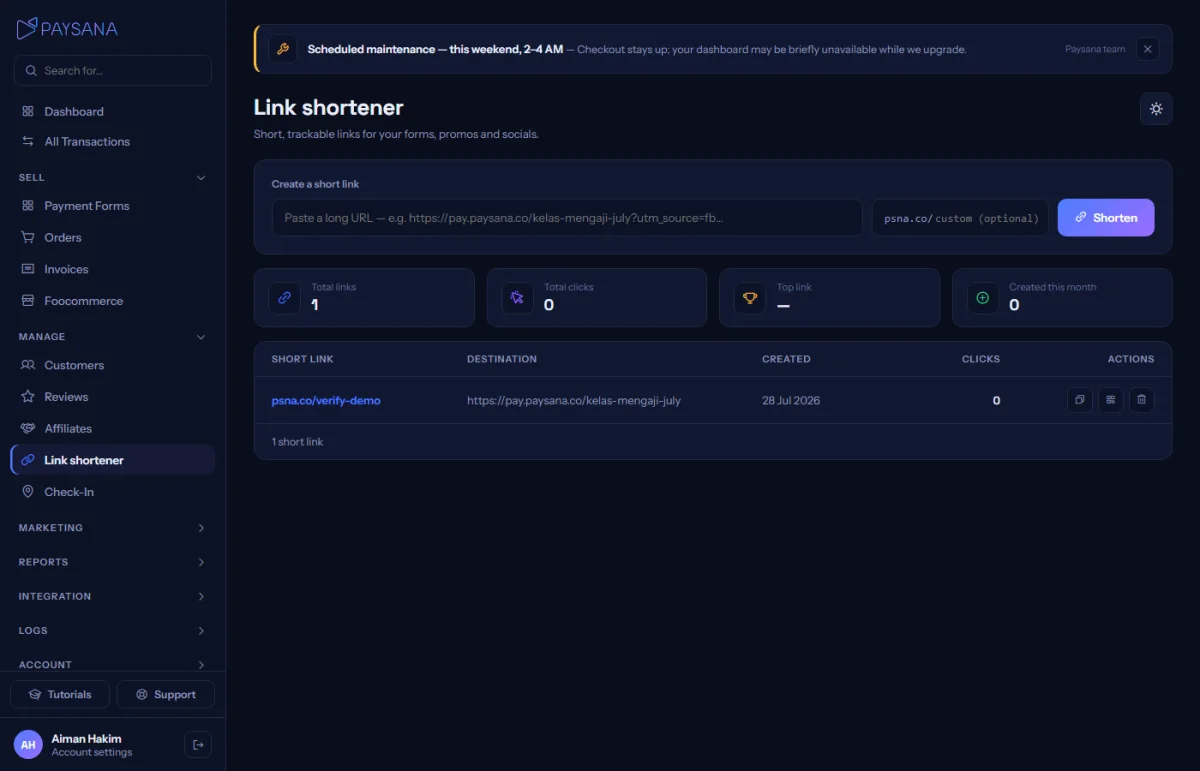
The Link shortener turns any of them into something short enough for print or a slide, with a scannable QR code and a click counter.
app.paysana.co
The link shortener, with click counts and a QR code for each link.

Worth knowing

  • Short links count clicks, which is a quick way to compare two places you posted the same offer.
  • The embed opens the gateway in the top window rather than inside your iframe, so buyers are never trapped in a frame during payment.

Read next

Still stuck? Send us a message and a person will answer — usually within one working day.
Contact us

Ready to try it?
Start free today.

Join the businesses already using Paysana to collect payments, send invoices and grow.

Free plan forever · No card to sign up · Your own gateway
We use cookies to measure how this site is used and how well our advertising works. They are optional — the site works exactly the same either way. Read our privacy policy.