
Features
All features
Raise an invoice with a pay link that marks itself paid.
Invoices suit work that is agreed before it is paid for. Your customer gets a page they can pay on, and the invoice updates itself the moment the money lands.
Open Invoices and choose New invoice. Enter the customer, the amount, a reference and a due date. Save it as a draft to finish later, or create and send it straight away.
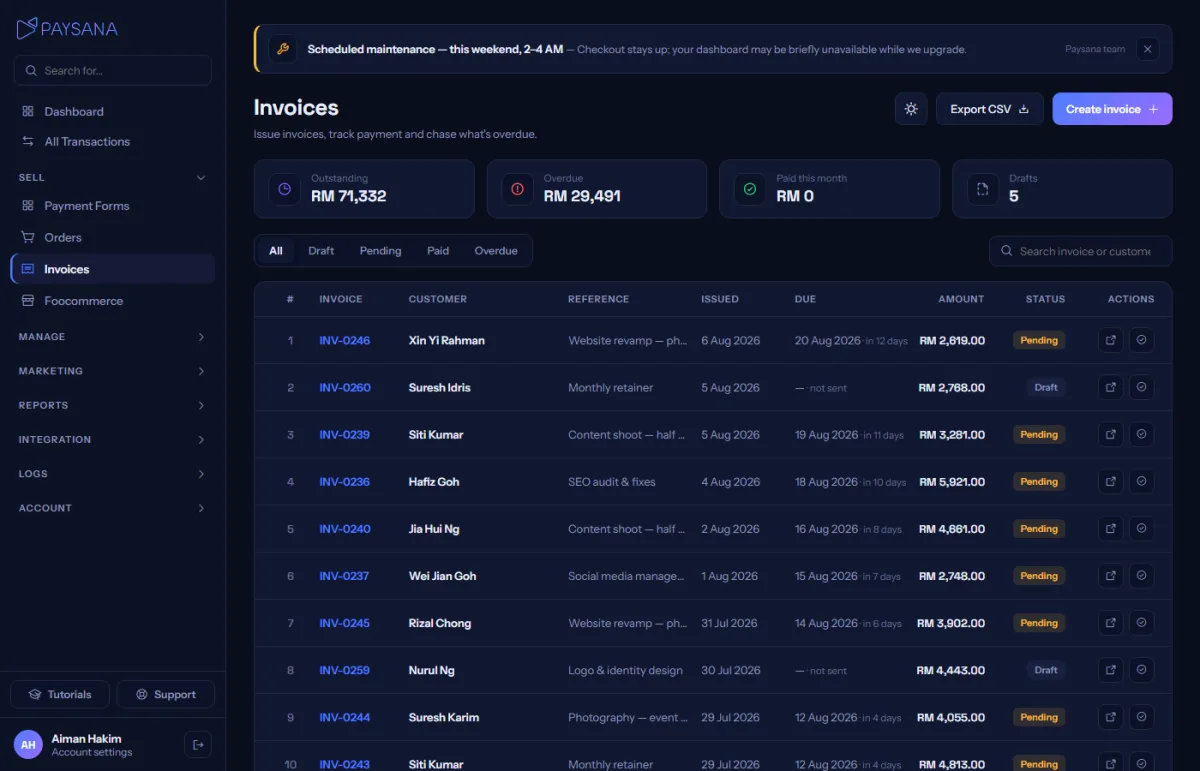
Your customer receives a link to a page showing the invoice and a pay panel. That page is keyed on an unguessable token rather than the invoice number, so nobody can walk through your invoice book by changing a digit.
When they pay, the invoice flips to paid and writes to your transaction ledger in the same moment. If the money arrived another way — cash, a direct transfer — use Mark paid and the ledger still stays correct.
Switch on the invoice rules in Reminders and unpaid invoices are chased for you: a nudge before the due date, then a repeat after it, stopping the moment the invoice is paid.
Join the businesses already using Paysana to collect payments, send invoices and grow.