
Features
All features
Switch on the rules that chase abandoned checkouts, unpaid invoices and lapsed customers.
Reminders are written already — you decide which run. Each one explains exactly who it contacts and when, and every send is recorded so nobody is nudged twice.
Open Reminders and switch on what suits you: abandoned checkout, invoice due soon, invoice overdue, win-back for customers who have gone quiet, payment failed, event day, day before an event, and low stock.
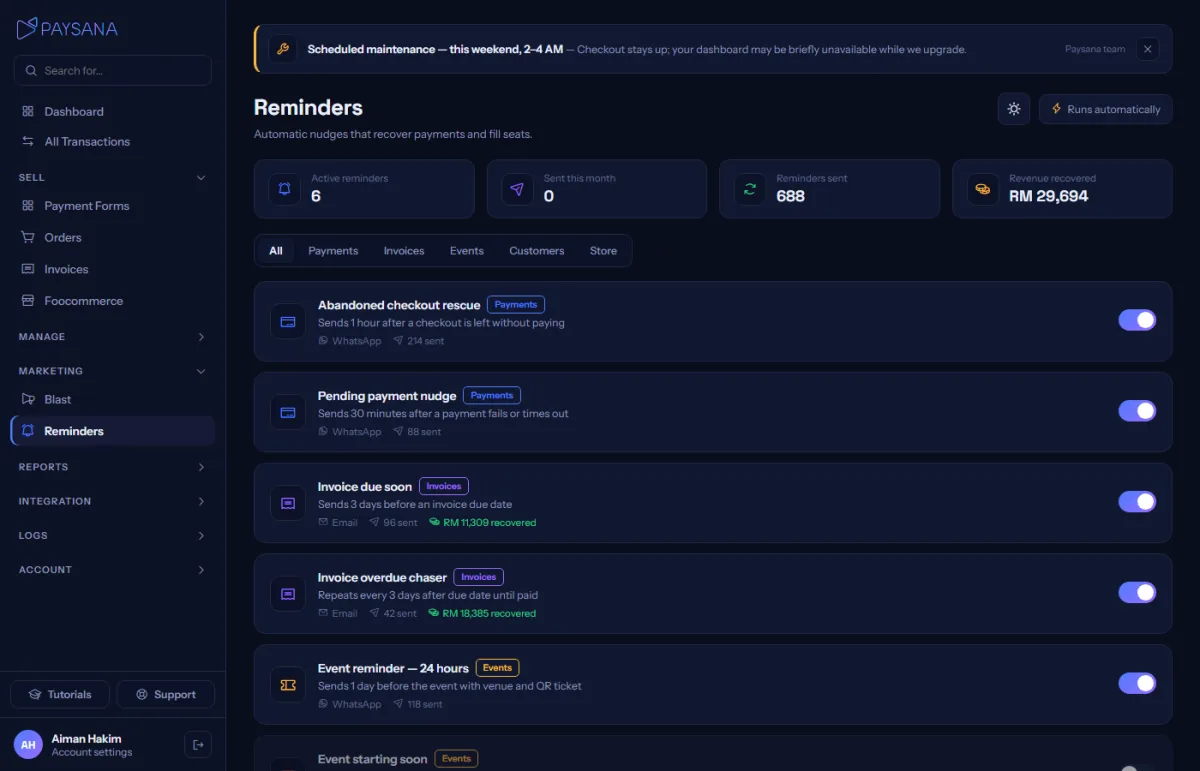
The engine scans for due targets and sends through your channels. Each rule has a cooldown, so an overdue invoice is chased on a sensible rhythm rather than every day.
Where the link between a reminder and a payment is unambiguous — an invoice that was reminded and is now paid — the recovered amount is shown. Where it is not, the send count is shown without a revenue claim.
Join the businesses already using Paysana to collect payments, send invoices and grow.