
Features
Integrations Pricing Developers Guides

Get help when you need it

Raise a ticket, read the guides, and check what was actually sent.

Account & billing 1 min read 3 steps 2 screenshots

Support is on every plan, including Free. A ticket raised from your dashboard arrives with your account attached, which is why it is faster than emailing.

1

Raise a ticket

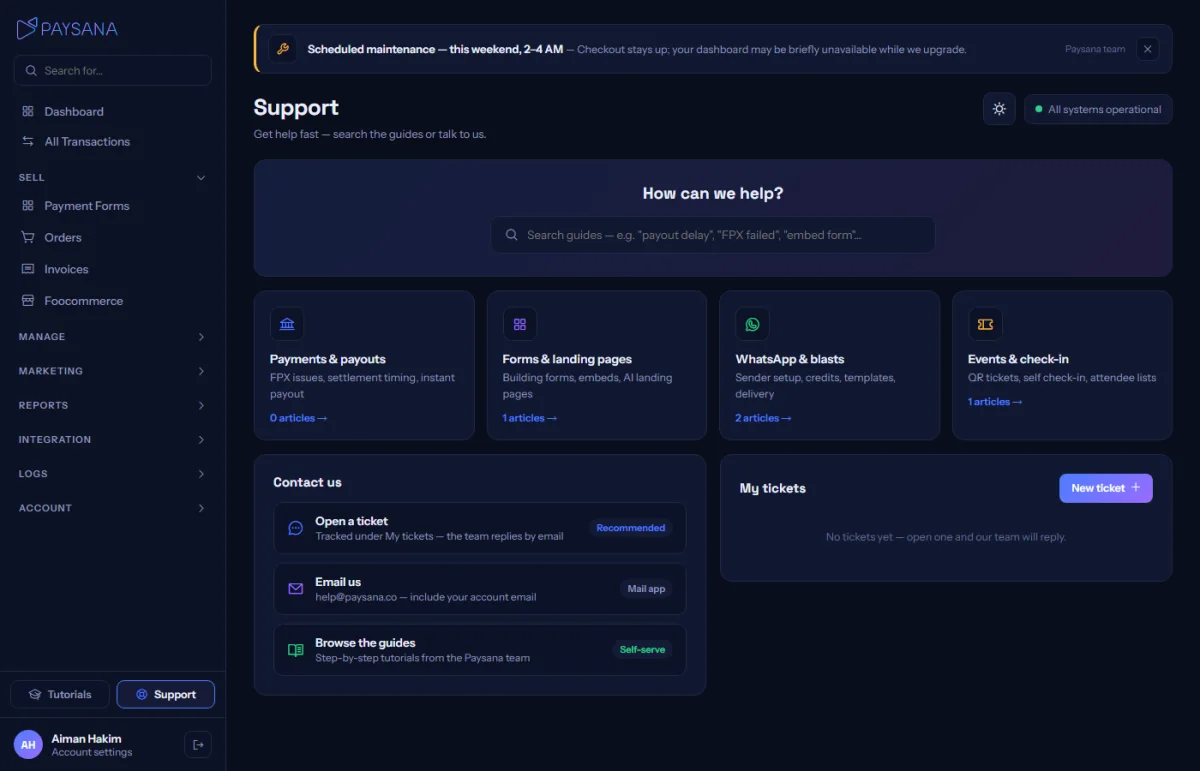
Support in the sidebar has a New ticket button. Pick a category and describe the problem; your ticket and its status are listed on the same page.
app.paysana.co
The support page: raise a ticket, browse help topics, and see your open tickets.
2

Check the logs first, if it is about a message

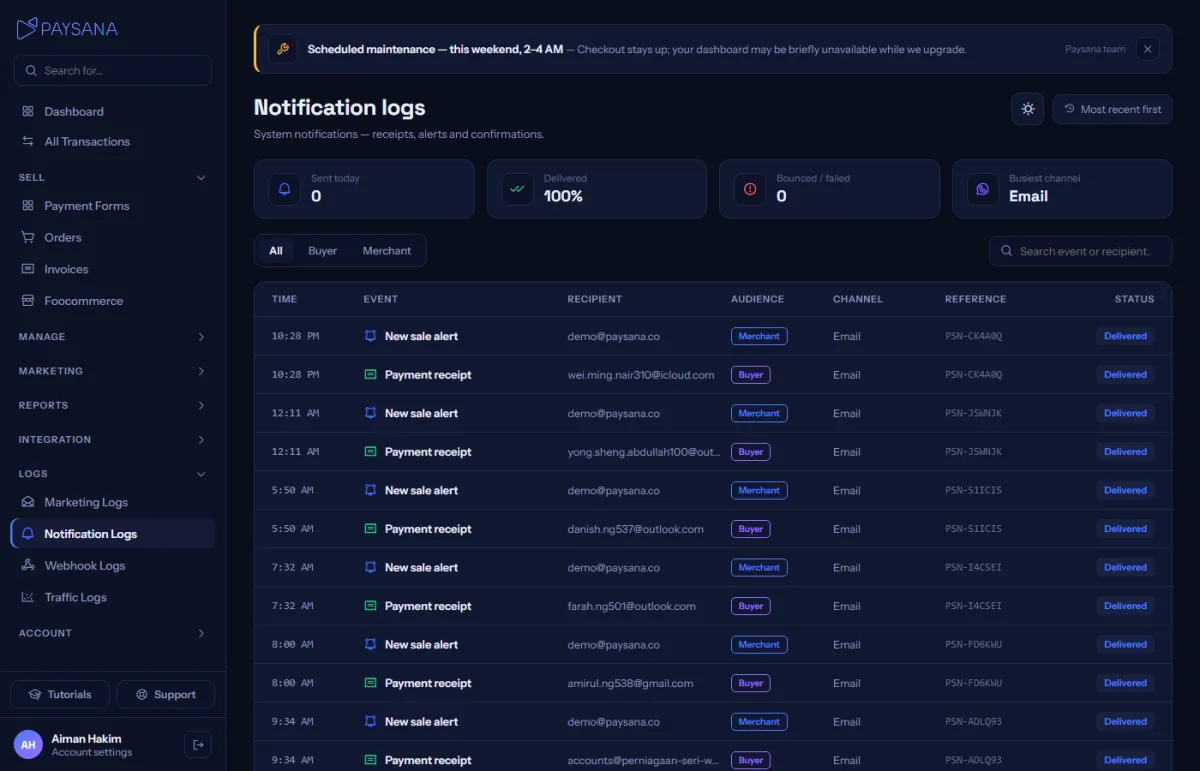
"Did my buyer get the email?" is answerable without asking us. Logs → Notifications records every message attempt, its channel and whether it was delivered.
app.paysana.co
Notification logs. Every message attempt, with its channel and outcome.
3

Read the guides

Tutorials in the sidebar carries the published help articles, grouped by topic. The same articles back the topic cards on the Support page.

Worth knowing

  • Business-plan tickets are answered first when there is a queue — but every plan gets a person, not a bot.
  • Include an order reference or a form name if your question is about one. It saves a round trip.

Read next

Still stuck? Send us a message and a person will answer — usually within one working day.
Contact us

Ready to try it?
Start free today.

Join the businesses already using Paysana to collect payments, send invoices and grow.

Free plan forever · No card to sign up · Your own gateway
We use cookies to measure how this site is used and how well our advertising works. They are optional — the site works exactly the same either way. Read our privacy policy.