
Features
Integrations Pricing Developers Guides

Secure your account

Two-factor login, recovery codes and your business profile.

Account & billing 1 min read 4 steps 2 screenshots

Your account holds your customers and your money’s destination. These are the controls worth spending five minutes on.

1

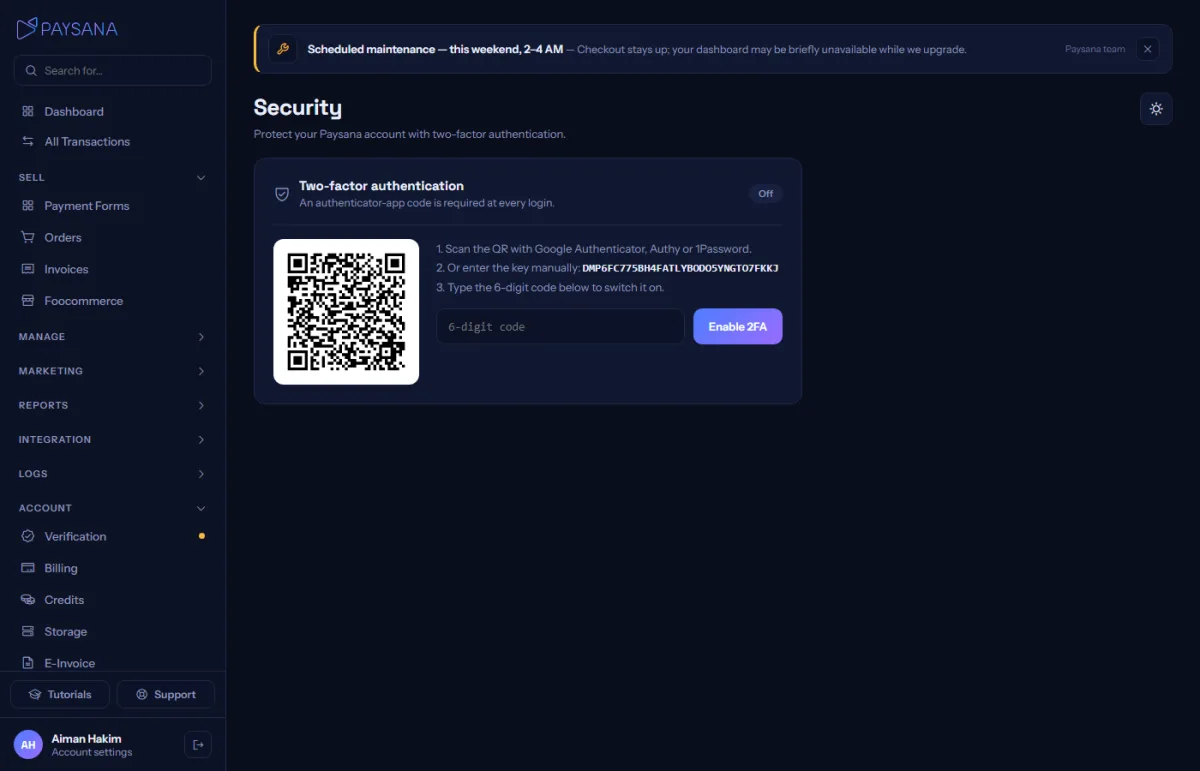
Turn on two-factor login

Scan the code with any authenticator app and confirm with a six-digit code. You are shown eight single-use recovery codes once — save them somewhere that is not your phone. Two-factor is entirely optional and we will never force it on you.
app.paysana.co
Security: two-factor login and recovery codes, both optional.
2

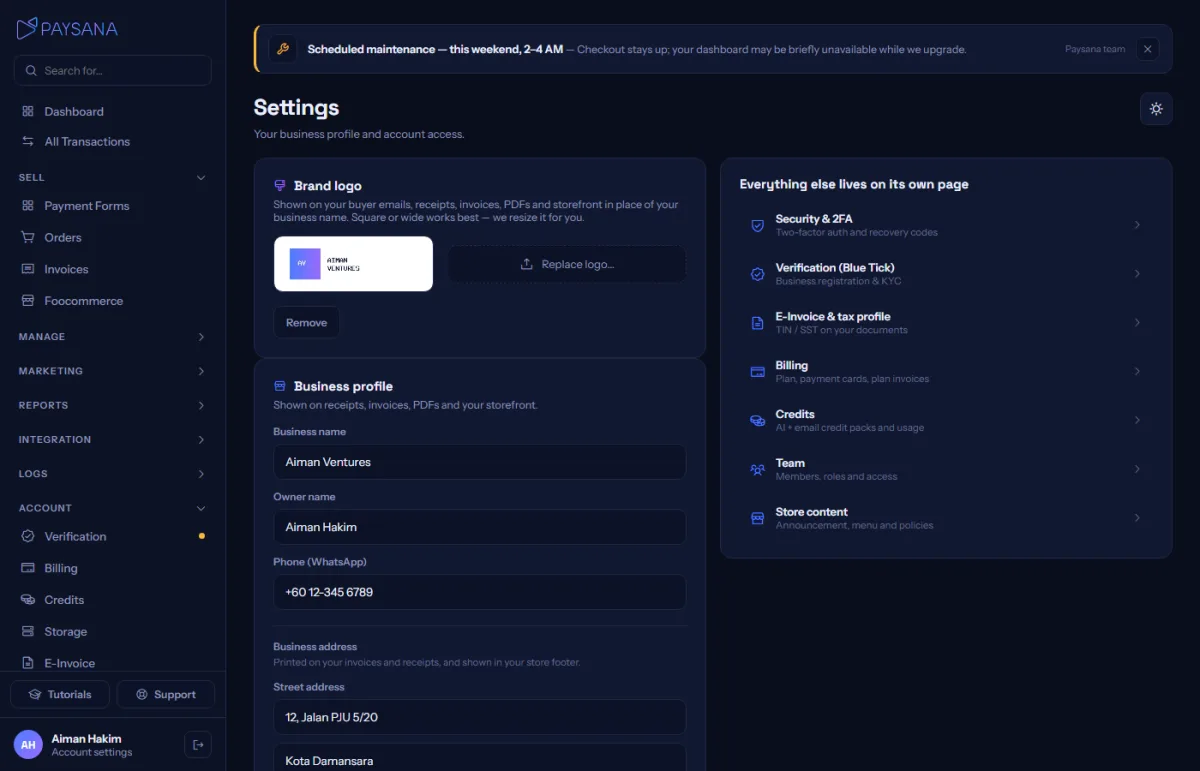
Keep your business details current

Settings holds your business name, contact details, brand logo and business address. Your logo appears on your checkout, storefront, receipts, invoices and PDFs, so it is worth uploading early.
app.paysana.co
Settings, with your business profile, brand logo and links to every other settings page.
3

Use a real password

The signup form shows a strength meter for a reason. If you reuse passwords anywhere, this is the account to stop doing that on.

4

Keep your recovery codes

They are the way back in if you lose your phone. You can regenerate them at any time — doing so invalidates the old set.

Worth knowing

  • Two-factor is optional for every account and always will be. We will not nag you about it.
  • Security settings are owner-only; team members do not see them.

Read next

Still stuck? Send us a message and a person will answer — usually within one working day.
Contact us

Ready to try it?
Start free today.

Join the businesses already using Paysana to collect payments, send invoices and grow.

Free plan forever · No card to sign up · Your own gateway
We use cookies to measure how this site is used and how well our advertising works. They are optional — the site works exactly the same either way. Read our privacy policy.