
Features
All features
Percentage or fixed discounts with limits that actually hold.
Coupons are created once and can apply to everything you sell or only to chosen products. Every code is validated on our servers, both when a buyer applies it and again when they pay.
Open Reports → Coupons and create one. Choose a percentage or a fixed amount off, and set a minimum spend if the discount should only apply above a certain basket size.
A maximum number of redemptions and a start and end date. These are what stop a campaign code from running away if it ends up somewhere you did not intend.
Leave it open to everything, or restrict it to specific products from the Pricing tab of each form. A code restricted to one product simply will not apply on another.
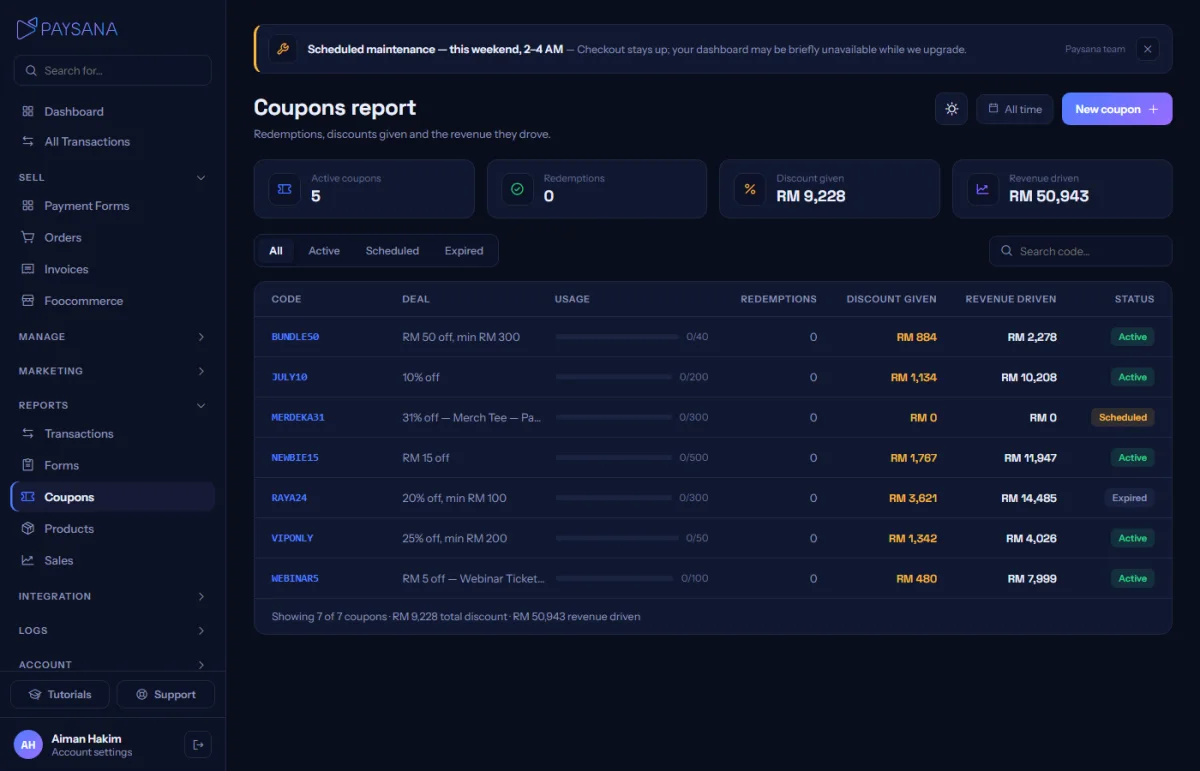
The coupons report shows redemptions, the discount you gave away and the revenue that came with it — so you can tell whether a promotion made or lost you money.
Join the businesses already using Paysana to collect payments, send invoices and grow.