
Features
Integrations Pricing Developers Guides

Sync sales into your accounting platform

Every paid order becomes a sales document, and every refund reverses it.

Connecting your tools 1 min read 4 steps 1 screenshots

Connect the books you already keep and month-end stops being a data-entry job. Sales are written as they happen, using your existing chart of accounts.

1

Connect your platform

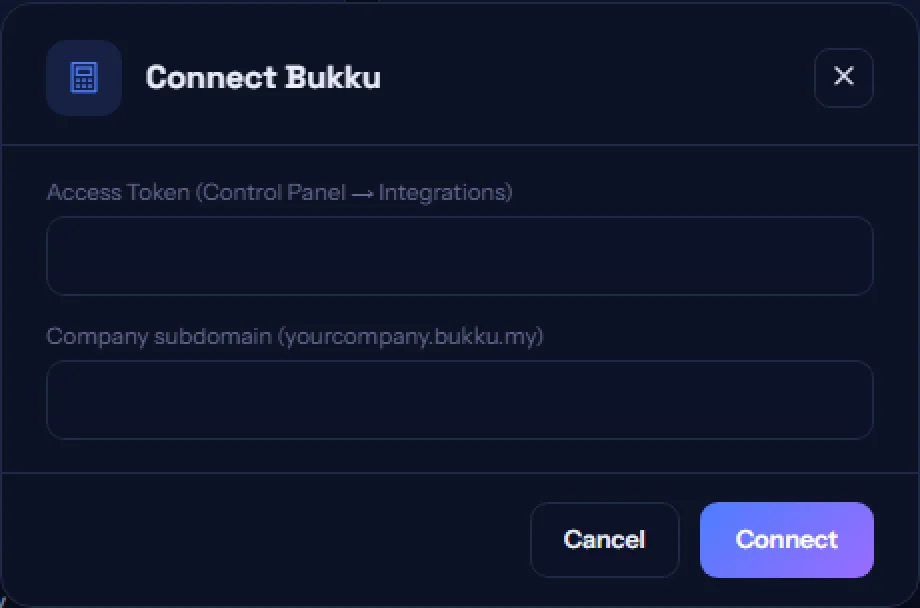
The Accounting tab lists the supported platforms. Some connect with an API key, others by signing in to your account — the card tells you which.
app.paysana.co
Connecting an accounting platform. Your income and bank accounts are detected on connection.
2

We find your accounts

On connection we read your chart of accounts and pick the income and bank accounts to post against, so you never have to handle internal IDs. Nothing is renamed or restructured.

3

Sales post themselves

Each paid order is written as a sales document against the matching contact, which we find by email so you do not collect duplicates of the same customer.

4

Refunds reverse themselves

A refund raises a credit note or refund receipt automatically, so your books balance without anyone remembering to do it.

Worth knowing

  • Lines are derived once and shared with your receipts, so your books and your buyer always see the same numbers.
  • One platform at a time — two ledgers would double-count your revenue. If a sync fails, the sale still completes.

Read next

Still stuck? Send us a message and a person will answer — usually within one working day.
Contact us

Ready to try it?
Start free today.

Join the businesses already using Paysana to collect payments, send invoices and grow.

Free plan forever · No card to sign up · Your own gateway
We use cookies to measure how this site is used and how well our advertising works. They are optional — the site works exactly the same either way. Read our privacy policy.