
Features
Integrations Pricing Developers Guides

Connect your own systems with webhooks and the API

Be told when something happens, and read or write your data from code.

Connecting your tools 1 min read 4 steps 2 screenshots

If you run your own systems, you do not have to poll a dashboard. Point a webhook at your server and mint an API key.

1

Add a webhook endpoint

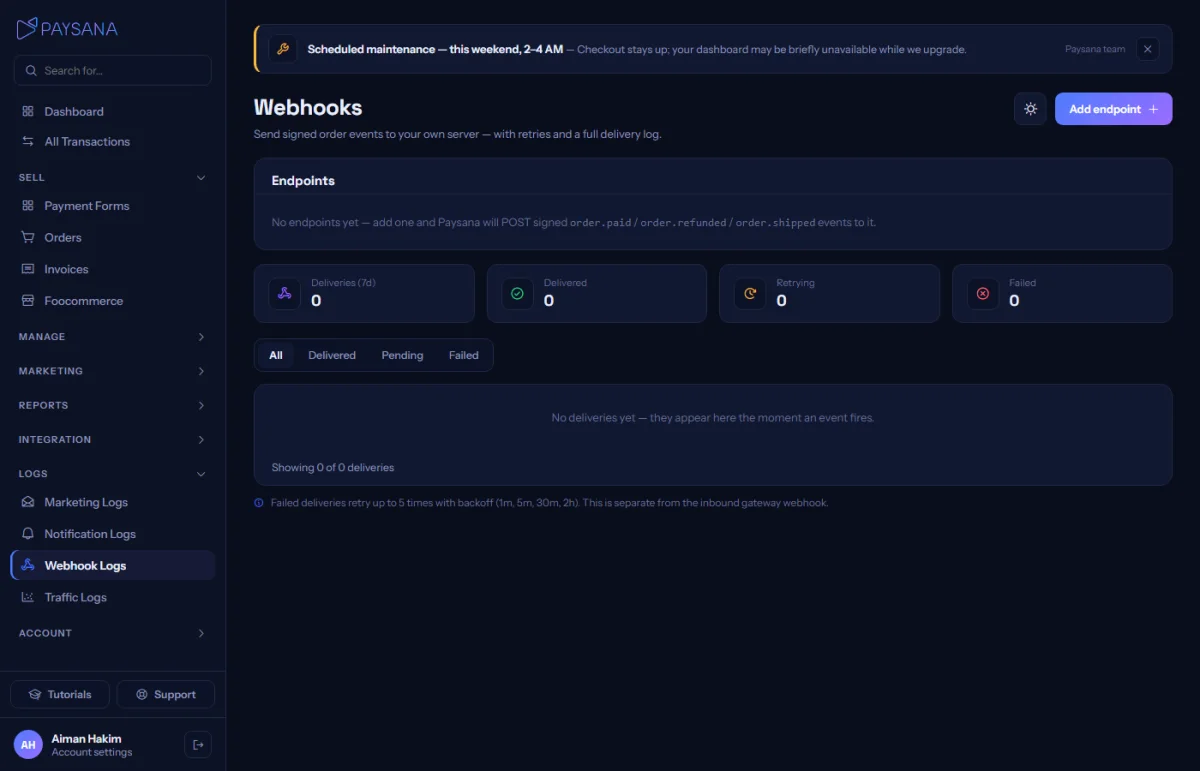
Logs → Webhooks is where you add the URL on your server and choose which events to receive. The signing secret is shown once when you create it — store it somewhere safe.
app.paysana.co
Webhook endpoints and their delivery history, with the payload of every attempt.
2

Verify the signature

Every delivery is signed with your secret. Verify it before you trust the payload — the developer docs show how, in more than one language.

3

Mint an API key

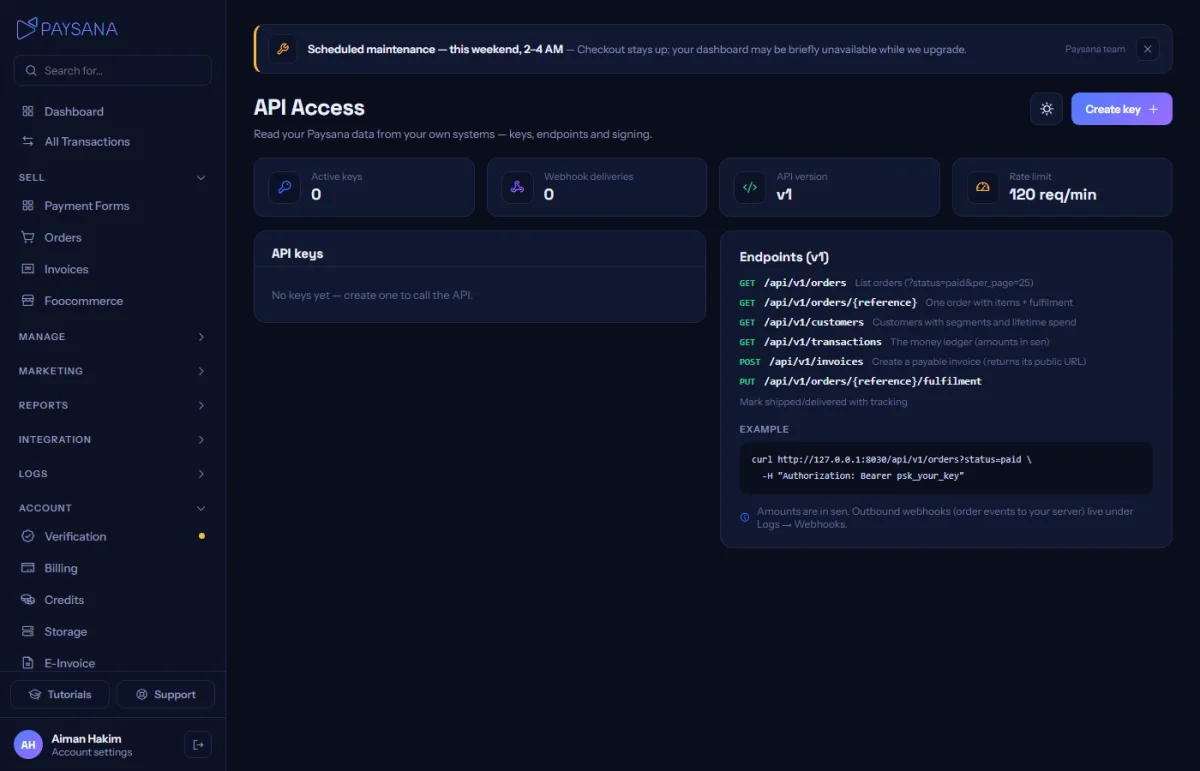
API Access is where you create keys. The plain value is shown once; after that only its fingerprint is stored, so revoke and re-mint if it is ever exposed.
app.paysana.co
API keys, with the endpoints you can call listed beside them.
4

Call the API

Read orders, customers and transactions; create invoices; update fulfilment. Money is always in minor units, and the rate limit is published in the developer docs.

Worth knowing

  • Deliveries are retried with a backoff, so a brief outage on your side does not lose an event. Make your handler idempotent.
  • The developer documentation is generated from the live API, so it cannot drift out of date.

Read next

Still stuck? Send us a message and a person will answer — usually within one working day.
Contact us

Ready to try it?
Start free today.

Join the businesses already using Paysana to collect payments, send invoices and grow.

Free plan forever · No card to sign up · Your own gateway
We use cookies to measure how this site is used and how well our advertising works. They are optional — the site works exactly the same either way. Read our privacy policy.