
Features
Integrations Pricing Developers Guides

Connect a WhatsApp sender

Send order confirmations, sequences and campaigns from your own number.

Connecting your tools 1 min read 4 steps 1 screenshots

WhatsApp goes through a provider account you own, so messages come from your number and your provider bills you directly.

1

Open the WhatsApp tab

It sits in the Integration hub beside your gateways. Pick the provider you have an account with — you only ever connect one, because a business has one number.

2

Paste your credentials

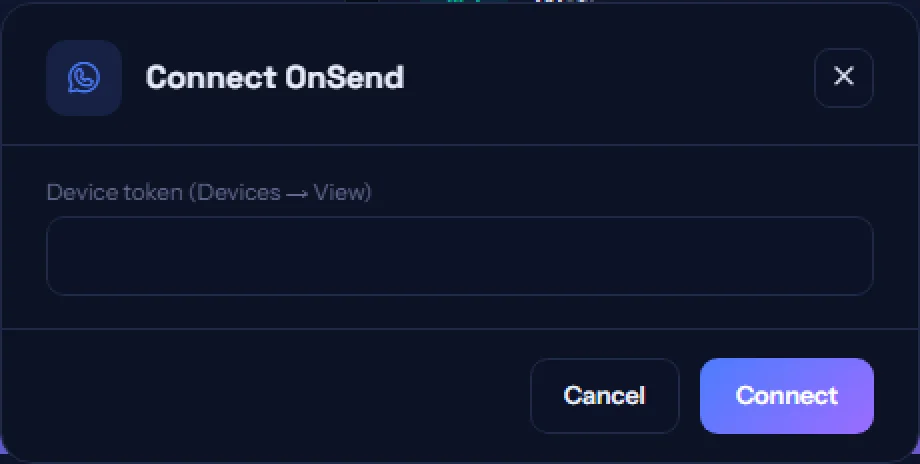
Each provider asks for slightly different fields, and the modal tells you where to find them. They are verified on connection and stored encrypted.
app.paysana.co
Connecting a WhatsApp sender. Fields differ per provider; the modal says where each one comes from.
3

Switch it on where you want it

Order confirmations are enabled per form on the Notifications tab. Sequences get WhatsApp steps. Campaigns let you pick WhatsApp as the channel. Nothing sends until you choose it.

4

Check it went out

Every attempt is recorded in Logs → Notifications, so you can confirm a message was sent rather than guessing.

Worth knowing

  • WhatsApp sends through your own provider are not charged against your Paysana credits — you are already paying your provider for them.
  • Some providers can only message someone inside an open conversation window. The connect card says so where it applies.

Read next

Still stuck? Send us a message and a person will answer — usually within one working day.
Contact us

Ready to try it?
Start free today.

Join the businesses already using Paysana to collect payments, send invoices and grow.

Free plan forever · No card to sign up · Your own gateway
We use cookies to measure how this site is used and how well our advertising works. They are optional — the site works exactly the same either way. Read our privacy policy.